Try Foundation Shade Online: Find Your Match Before You Buy
Foundation is the hardest shade to buy online. A lipstick is one color. A foundation is your whole skin — undertone, depth, oxidation, lighting — and a product photo cannot show you any of it. With try foundation shade online, you can test warm, cool, and neutral shades on your own selfie before you buy. Upload one photo, try several shades back to back, and see which one disappears into your skin instead of sitting on top of it.
Before and After Example
Drag the slider to compare the original photo with the AI try-on result.
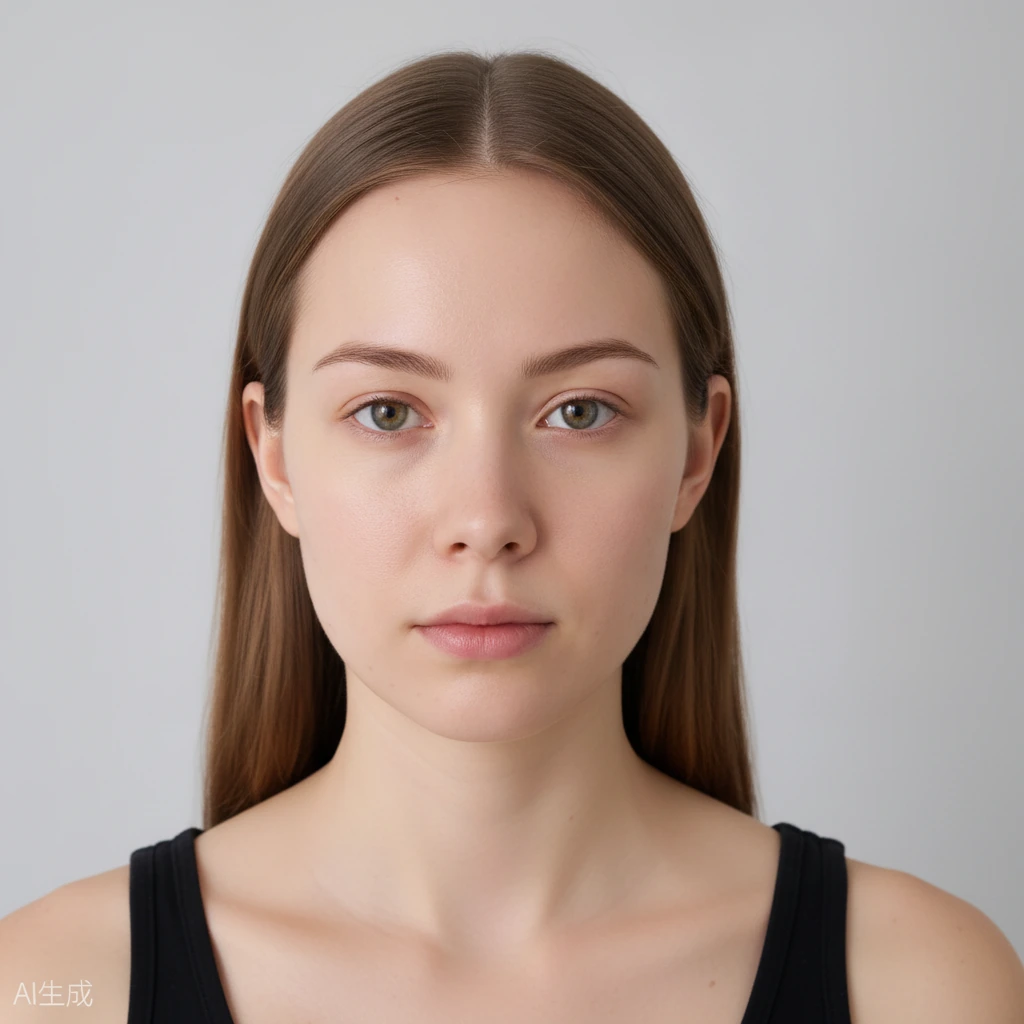
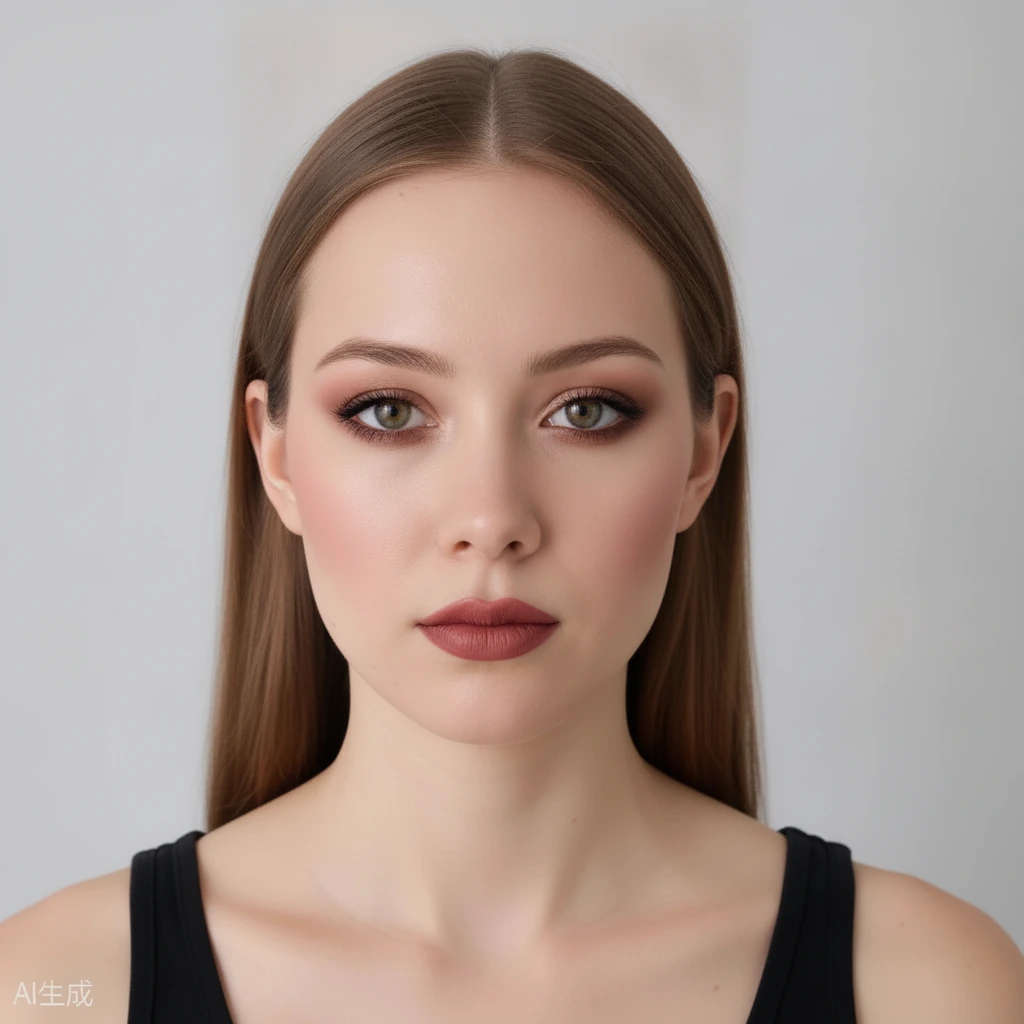 BeforeAfter
Why Foundation Is the Hardest Shade to Buy Online
Three things make foundation uniquely hard:
1. Undertone matters more than depth. Two foundations can share the same depth — light, medium, deep — but one is warm (yellow / golden), one is cool (pink / red), one is neutral. Pick the wrong undertone and the foundation looks orange, grey, or ashy even if the depth is right.
2. Foundation oxidizes. Many formulas darken or turn more orange after 20–30 minutes on skin. A shade that looks perfect in the store can look a half-shade darker by lunch.
3. Lighting lies. Store lighting, phone screens, and product photos all shift color. A shade that looks right under fluorescent light can look wrong in daylight.
That is why so many people own three half-used bottles. They were not careless — they were guessing without a preview on their own face.
How to Try Foundation on Your Photo
1. Upload a front-facing selfie in even, natural daylight. No filter, no heavy makeup, no strong backlight. The more neutral your base photo, the more honest the preview. 2. Pick a shade family — warm, cool, or neutral — and try one shade at a time on the same photo. 3. Compare with the slider. Drag before-and-after to see the real difference. The right shade should even out your skin without creating a visible edge at the jawline. 4. Try a second family. If warm looks orange and cool looks pink, try neutral. Most people find their match by elimination in 2–3 tries. 5. Check in two lights. Look at the preview on your phone in daylight and indoors. A good match holds up in both.
The AI changes only the makeup. Your identity, face shape, hair, and background stay the same. You get free daily credits, no sign-up required, no app to download.
Find Your Undertone First
If you do not know your undertone, start here — it narrows your search from 40 shades to about 10.
Vein test: Look at the veins on your inner wrist in daylight. Blue / purple veins usually mean cool. Green veins usually mean warm. A mix usually means neutral.
Jewelry test: Silver usually flatters cool undertones. Gold usually flatters warm undertones. If both look good, you are likely neutral.
White vs cream test: Bright white usually flatters cool undertones. Cream / off-white usually flatters warm undertones.
These are clues, not rules. The fastest confirmation is visual: try one warm and one cool foundation on your own photo. The wrong one will look like a mask. The right one will look like skin.
For a deeper guide, see: How to Find Your Undertone.
Warm vs Cool vs Neutral Shades on Your Skin
Warm shades (W / Y / Golden): Yellow, golden, peachy base. Best if your skin carries a golden cast and gold jewelry suits you. On the wrong person, warm can read orange.
Cool shades (C / R / Pink): Pink, rosy, red base. Best if your skin carries a pink cast and silver jewelry suits you. On the wrong person, cool can read pink or ashy.
Neutral shades (N): Balanced yellow + pink. Best if you are neutral, or if you are between two shades. Neutral is the safest starting point if you are unsure.
Depth tip: Match depth at the jawline, not the back of your hand. Your hand is usually a different shade from your face. On your photo, check the jawline and neck blend — there should be no hard line.
Try all three families on the same photo. Most people can eliminate one family in seconds, then choose between two close shades in the remaining family.
Oxidation & Lighting: What the Preview Can / Can't Tell You
A virtual preview is a color preview, not a formula test. Be honest about its limits — it builds trust and still saves you a return.
What it can tell you: Whether a shade family (warm / cool / neutral) and depth look natural on your skin, and whether two close shades differ enough to matter.
What it cannot tell you: How a specific formula oxidizes on your skin after 30 minutes, how it wears on oily vs dry skin, or how it photographs with flash. For that, check reviews for that exact product after you narrow to 1–2 shades.
Use the preview to narrow to 1–2 shades, then buy the smallest size or a sample of those. That is still far cheaper than buying three full bottles blind.
Frequently Asked Questions
How do I know my undertone?
Use the vein, jewelry, and white-vs-cream tests above, then confirm by trying one warm and one cool shade on your own photo. The right family will look like skin. The wrong one will look like a mask.
Can I try foundation without full makeup?
Yes. Use the by-face-part mode to test foundation / base alone and leave eyes and lips clean.
Is it accurate for dark skin?
The preview uses your own photo, so it shows how the shade reads against your actual skin tone. Try 2–3 close shades and compare at the jawline — that is where a mismatch shows first.
Is it free?
Yes. Free daily credits, no sign-up required to start, no app to download.
Is my photo private?
Yes. Photos are private, never submitted to search engines, and expire and are deleted automatically after a limited time.
What if I am between two shades?
Pick the lighter one and blend down the neck, or mix — most people between shades look better slightly lighter than slightly darker. Try both on your photo and compare at the jawline.