Wedding Makeup Try On Online Free: Preview Your Bridal Look First
Planning wedding makeup usually means waiting for a trial appointment, sitting in a chair, and hoping the mirror matches the picture in your head. A wedding makeup try on online free tool flips that order. You upload one front-facing selfie, choose the Wedding look, and the AI paints elegant, romantic makeup onto your own photo in under a minute. It is a low-pressure way to see how bridal makeup actually reads on your face, and you can run through several directions in a single afternoon instead of one appointment.
Before and After Example
Drag the slider to compare the original photo with the AI try-on result.
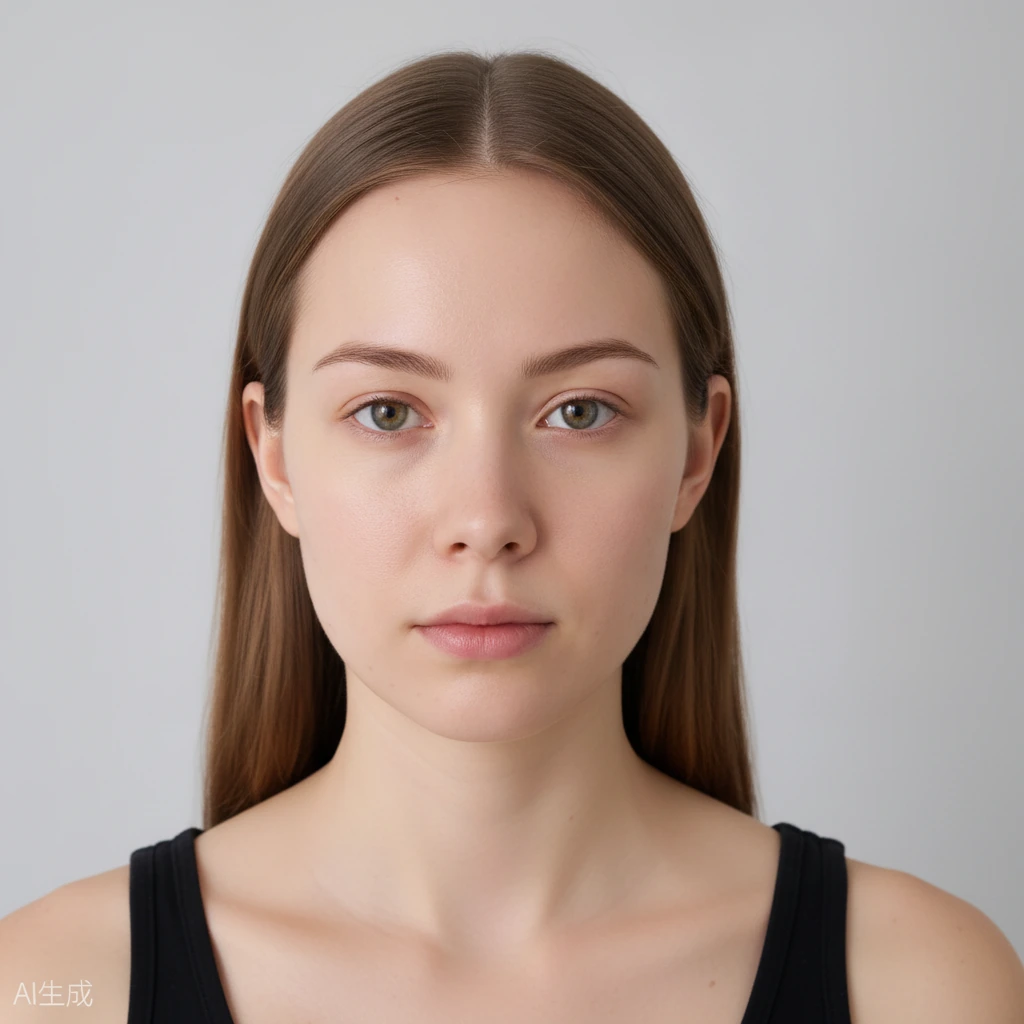
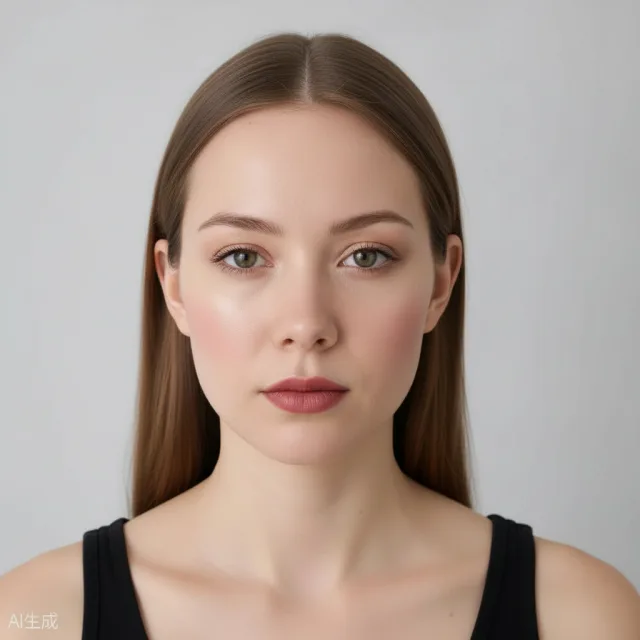 BeforeAfter
Why a Wedding Makeup Try On Online Free Helps You Plan Ahead
A traditional trial is valuable, but it is also a single shot. You arrive with ideas, the artist interprets them, and you leave with one finished face and a lot of second-guessing. A virtual bridal makeup preview flips that: you arrive at your appointment already knowing what you like. You can compare a soft romantic look against something with more definition, then bring your favourites along as references.
Because the tool applies makeup to your real photo, the preview is far closer to reality than a swatch on your hand or a filter on a model. You see how a warm blush lands on your skin tone, how a deeper lip changes your whole expression, and whether strong eyeliner suits the dress and the venue. Nothing about your features is altered, so what you see is close to what the makeup would actually do.
You also avoid deciding under pressure. Save the versions you like, download them, and share them with the friends or family who are helping you plan, all before you commit to anything.
How to Run a Wedding Makeup Try On Online Free
Start by opening the tool in your browser. There is no app to install and no account to create, so you can be trying looks within a minute of landing on the page. Take a clear, front-facing selfie in even, natural light, then upload it. The AI needs your face straight on, without heavy shadows or sunglasses, to place the makeup accurately.
Pick the Wedding look and let the tool work. In under a minute you get your photo with bridal makeup applied. Slide the before-and-after comparison control to view the original and the finished image side by side, so you can judge the difference honestly rather than from memory.
If you want to fine-tune, use the face-part controls. You can adjust eyes, lips, and cheeks on their own and move the intensity slider until the look feels right. A lighter lip and a softer cheek make the same look read as daytime; a deeper lip pushes it toward the evening.
What the Wedding Look Is Made Of
The Wedding look leans elegant and romantic: a soft, luminous base, gently defined eyes, a glow that catches the light without looking shiny, and a lip that reads polished rather than loud. It is built to hold up in photos, which matters on a day full of them.
Bridal makeup also has to survive long hours, so the overall balance matters more than any single feature. Use the preview to check that the eyes and lips sit in proportion and that nothing competes with your natural features. Because it is a preview, it changes only the makeup and leaves your hair, face shape, and background exactly as they are.
Using a Virtual Bridal Makeup Preview Before the Big Day
Treat the preview as research, not a final decision. Try the Wedding look, then branch out: a Bold Glam version for an evening reception, a Clean Girl take for a daytime ceremony, or a Party look for the celebration afterwards. Seeing several on your own face quickly narrows down what you actually want.
Download the images you like and keep them together for your artist. Sharing them is simple, and a picture of the exact finish removes a lot of back-and-forth guesswork. Your photos stay private, are never submitted to search engines, and expire and auto-delete after a limited time.
When it is time for the real trial, you walk in with a clear direction and far fewer nerves, and you know your choice was made while looking at your own face rather than someone else's.
Frequently Asked Questions
Is wedding makeup try on online free actually free to use?
Yes. You get free daily generation credits, and you do not need to sign up to start. You can try looks and adjust them without paying anything.
Do I need to download an app?
No. The tool runs entirely in your browser and works on both phone and desktop, so you can use whatever device you already have.
Will the preview change my face, hair, or background?
No. The AI changes only the makeup. Your identity, face shape, hairstyle, and background stay the same. It is not a face swap.
Can I share the preview with my makeup artist?
Yes. You can download the result or share it directly, which gives your artist a clear reference before your trial appointment.
What happens to my photo after I use the tool?
Your photos are private and stored securely. They are never submitted to search engines, and uploaded photos and results expire and are automatically deleted after a limited time.