Blush Try On Online: Find Your Color and Placement
Blush is small, but it changes a whole face, and the wrong placement can make an otherwise good look feel off. With blush try on online, you upload a selfie, pick a shade, and watch the AI place it on your own cheeks in seconds. You can see how high or low it sits, how strong it reads, and whether the color warms or cools your skin before you buy anything. It is a quick way to answer a question that used to cost a return. Done well, blush looks like your own skin, only warmer.
Before and After Example
Drag the slider to compare the original photo with the AI try-on result.
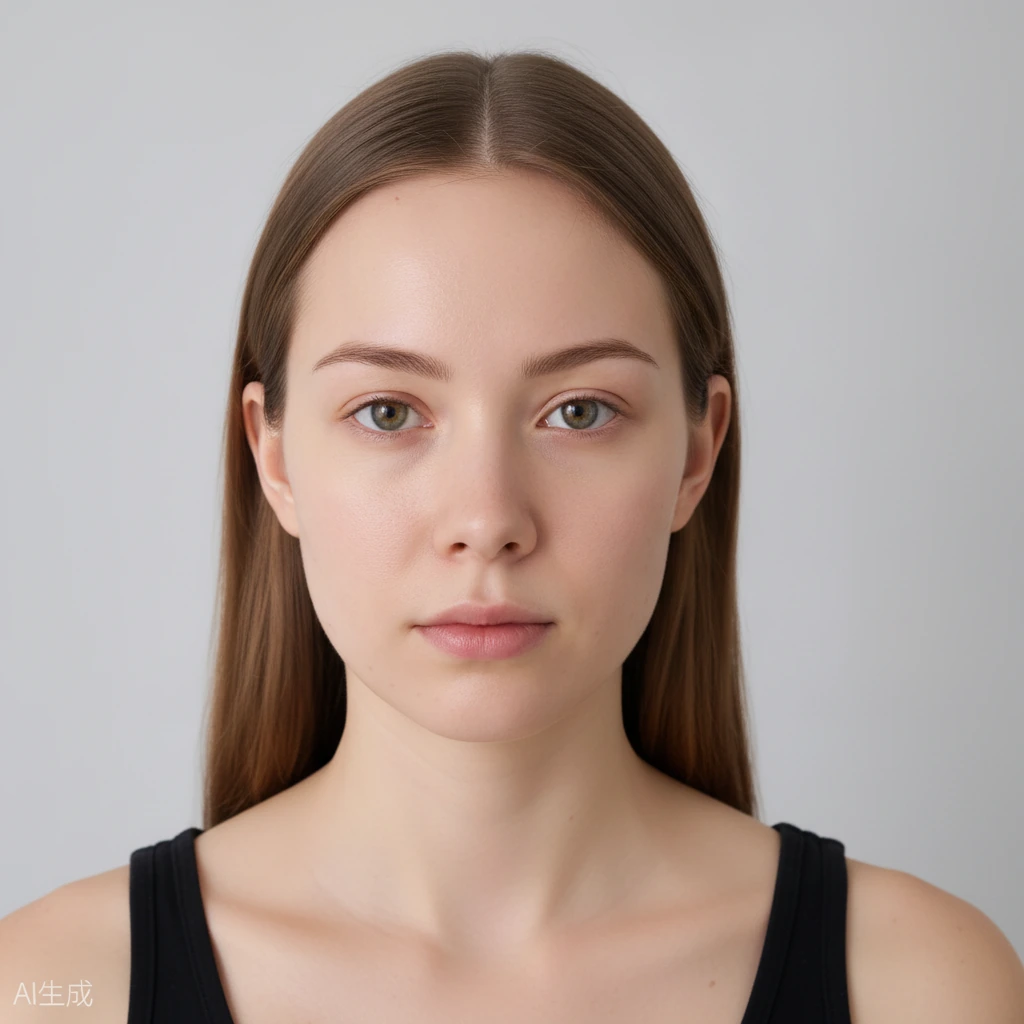
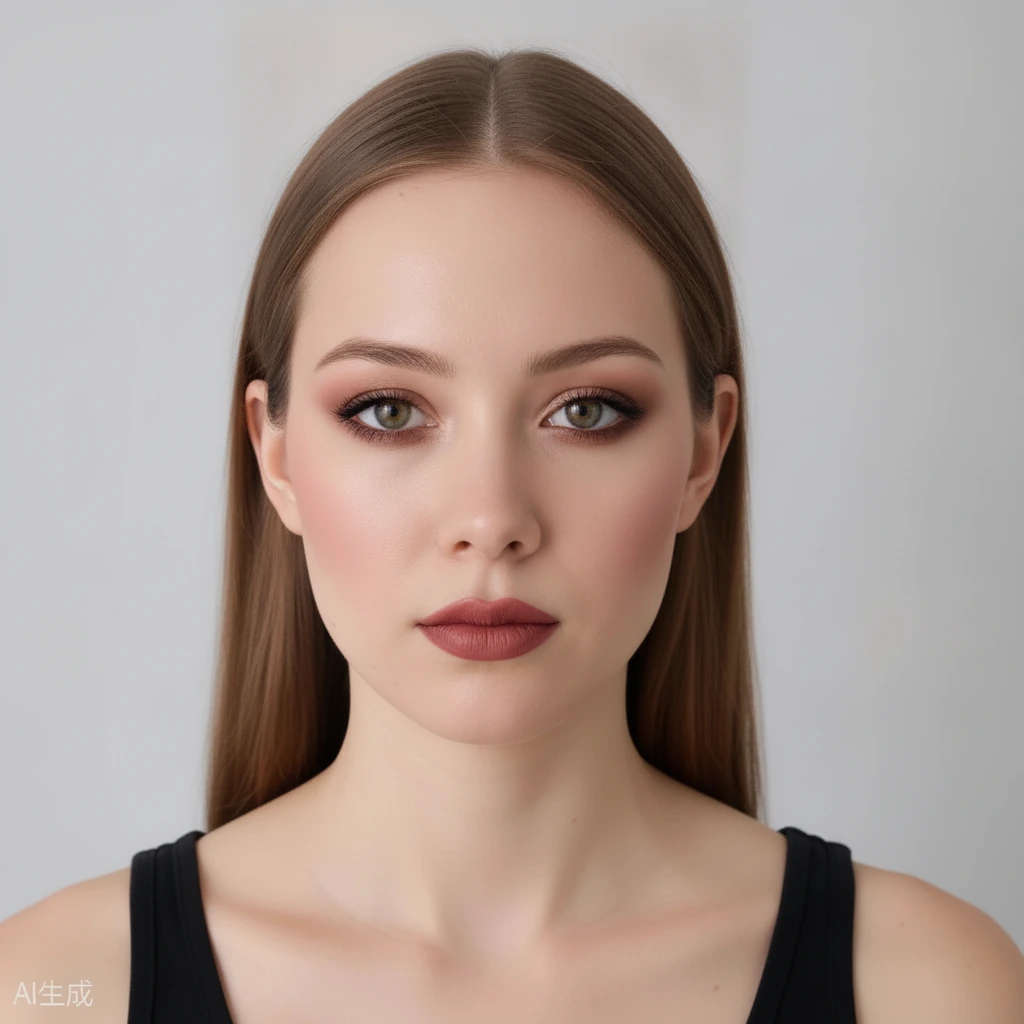 BeforeAfter
Why Blush Try On Online Takes the Guesswork Out
Blush is one of the few products where placement matters as much as color. The same pink can look fresh sitting high on the cheekbone and heavy when it drops toward the mouth. A product photo cannot show you which way it will go on your face, because the answer depends on your bone structure and the rest of your makeup.
Trying it on your own photo lets you check that placement against your own face, skin tone and features. That is the part that makes a shade believable, and it is the part you simply cannot see in a tube. A quick check on your own photo answers in seconds what a mirror at the counter would take minutes to show.
How Blush Try On Online Shows Placement in Real Time
Pick a blush tone, then watch it land on your cheeks in your own photo. Drag the intensity slider up or down and the color builds or softens without touching anything else on your face, so you can isolate the one thing you are deciding, whether that is the color, the placement or the strength. You can move the color too, shifting it higher on the cheekbone or lower toward the apples.
You can compare directly with the before-and-after slider, which is the quickest way to see whether a placement flatters your face or fights it. Everything runs in your browser, on phone or desktop, in under a minute, with no sign-up needed to begin.
You also get free daily credits, so there is room to try a warm peach, a cool pink and a deeper berry in the same sitting. Seeing them back to back on one photo is far more useful than pulling up ten separate product pages.
Cheekbone vs Apple: Where Blush Changes the Face
Placing blush along the cheekbone and sweeping slightly upward tends to lift the face and read more sculpted. Placing it on the apples of the cheeks, the round part that rises when you smile, reads softer and more youthful, closer to the center of the face.
Neither is right or wrong; it depends on the shape you want that day. Rounded faces often look balanced with color drawn a little higher and outward, while longer faces can warm up with color kept centered on the apples, and an oval face can carry either.
Rather than treating that as a rule, test both on your own photo. Seeing the two placements side by side tells you instantly which one you prefer on your face, and you can turn the intensity down if either feels like too much at first.
Turn the Intensity Up or Down to Change the Look
Intensity is the quiet dial that shifts a look from everyday to evening. A sheer wash of blush keeps a daytime face fresh, while a stronger application adds warmth and definition that can hold its own against a bolder eye or lip.
You can also match blush to the rest of your makeup. A cool pink pairs with cool lips and shadows, while a warm peach or coral ties a sunlit look together. Try a couple of tones and let your own photo decide which pairing reads best.
Once you know your shade and placement, buying blush online gets straightforward. You are choosing from what you saw on your own face rather than a model's, so there is far less room for a shade that looked better on someone else. A shade that reads right in a sheer layer often looks even better when you build it up slowly.
Frequently Asked Questions
Do I need to sign up to try blush on my photo?
No. You can start with no account and use free daily generation credits to test shades and placements.
Where should I put blush for my face?
There is no single answer. Sweeping it along the cheekbone reads more lifted, while keeping it on the apples reads softer. Try both on your own photo and use the before-and-after slider to see which you prefer.
Can I try blush with my other makeup on?
Yes. You can apply blush on top of an existing look, or try it with one of the ready-made looks, and turn the intensity slider up or down to fit the rest of your makeup.
Will my photo be stored or shared?
Your photos are private, stored securely, and never submitted to search engines. Uploaded photos and results expire and are automatically deleted after a limited time.
Does it cost anything?
You get free daily generation credits to try looks, and no sign-up is required to start.