Eyeshadow Try On Online: Plan a Look on Your Own Eyes
Eyeshadow is one of the hardest products to buy blind, because the same shade lands differently on every eye shape. With eyeshadow try on online, you upload one selfie, choose colors, and the AI applies them to your own lids in seconds. You see how a shade sits in your crease, how far it reaches toward the brow, and whether it flatters the space you actually have. No more hoping a palette that works on someone else will work on you.
Before and After Example
Drag the slider to compare the original photo with the AI try-on result.
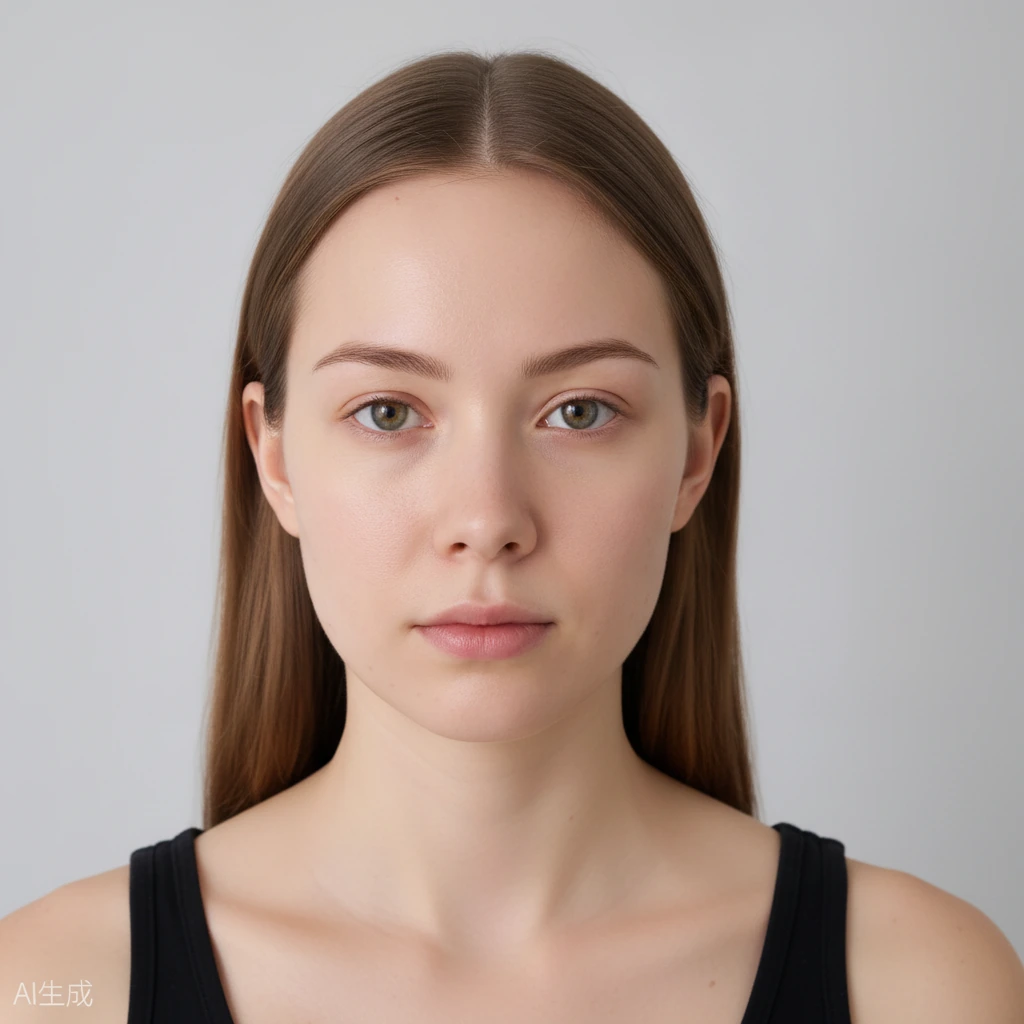
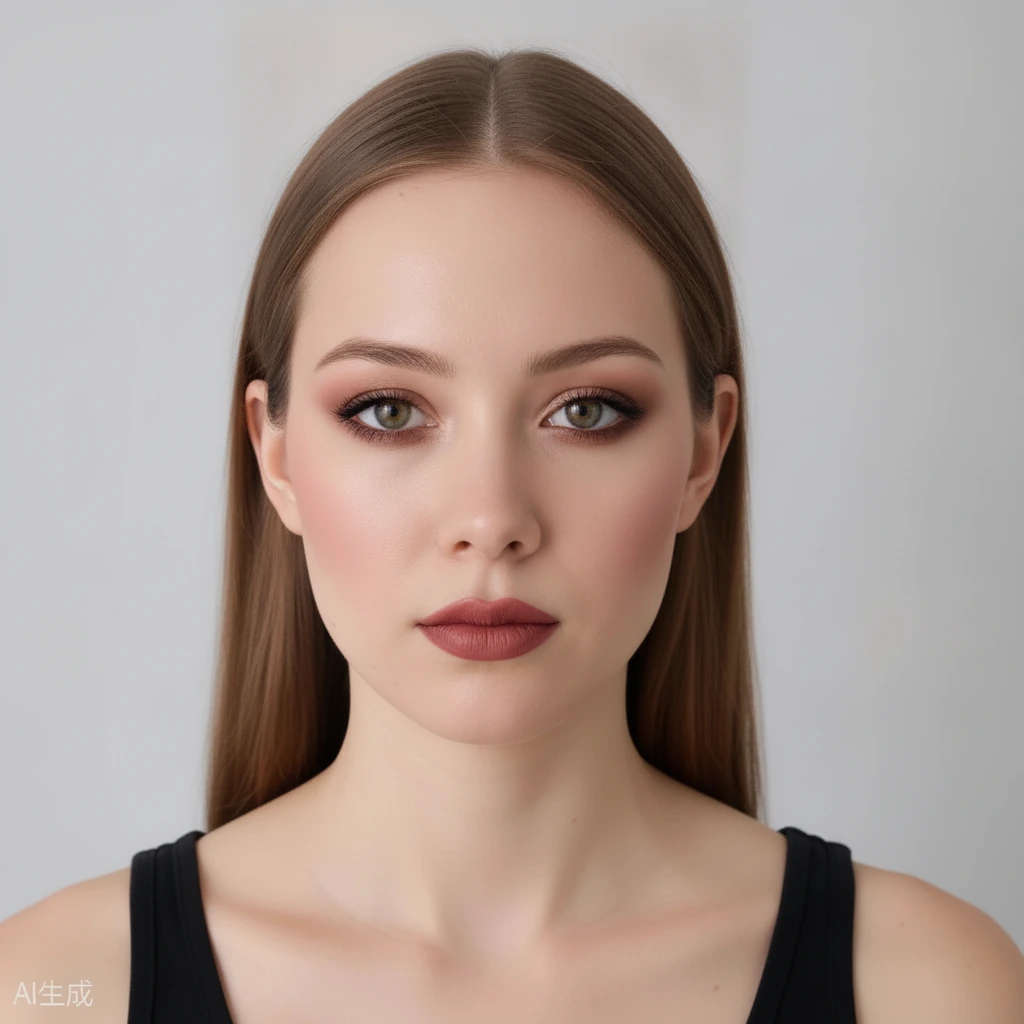 BeforeAfter
Why Eyeshadow Try On Online Beats an Arm Swatch
A fingertip swatch on your inner arm shows pigment, not placement. On a video or a product photo, the model's lid space, eye shape and skin tone do part of the work that the color only appears to do. That same shade on your own face can either disappear or take over, and an arm swatch will never tell you which. Skin tone shifts how a shade reads on the lid as well, and only your own photo shows that shift.
Because the tool works on your photo, you judge color against your real eye color, your brow bone and the amount of visible lid you have. That is what turns a pretty shade into one you will actually reach for. It also tells you which shades to skip before you buy them.
How Eyeshadow Try On Online Reads Your Eye Shape
Eye shape changes everything. A deep-set eye can lose a heavy shade in the crease, while a hooded lid may hide most of it once the eye is open. Monolids and round eyes carry placement differently again, so the same diagonal blend will not look identical on two people, no matter how carefully you copy it. That is why shades that look effortless online can feel clumsy on your own face.
When you try shadows on your own photo, you see where the color actually shows. You can move a deeper tone higher or lower and watch how much of it stays visible, instead of trusting a tutorial built for someone else's eyes. That single difference is why trying it on beats watching a demo.
Placement, Lid Space and the Crease
A simple order helps: a light base across the lid, a mid tone in the crease, and a deeper shade in the outer corner. On your photo you can see whether that outer shade reads too heavy or sits just right for the lid space you have. Then you can see whether the base, the crease shade and the outer corner sit in a smooth line or jump around.
If your visible lid is small, keeping the deepest color close to the lash line and blending upward often reads clean without eating the space you have. More lid means you can carry a brighter shade across the center with room to spare, and the blend stays smooth.
Shimmer behaves differently too. A sparkly shade across a small lid can look busy, while the same shade on a wider lid catches the light beautifully. Trying it on your own eye settles the question in a glance rather than a guess, and you learn the finish that flatters your eyes.
Try Shadow Shades Together Before You Commit
Most eyeshadow decisions are really about combinations. You can test a neutral base with a warm brown in the crease, then swap the accent for a plum or a bronze and see which pairing suits your eye color and skin tone.
The intensity slider lets you dial a shade up or down without changing the colors around it, so you can find the point where a look feels bold but still like you. Load a couple of the ready-made looks, such as Smokey Eyes or Clean Girl, and compare them on your photo before you commit to a step.
When you know which shades and placements work on your eyes, building a palette around them gets much easier, and shopping for shadow online stops being a lottery. You will already know which tones earn their place, and which are just pretty in the pan.
Frequently Asked Questions
Do I need an account to try eyeshadow on my photo?
No. You can start without signing up and use free daily generation credits to test as many shades as you like.
How do I know which placement suits my eye shape?
Try a few placements on your own photo, such as a deeper shade in the crease or along the lash line, and use the before-and-after slider to compare. Your own reflection shows what stays visible when your eye is open.
Are my photos private?
Yes. Your photos are private, stored securely, and never submitted to search engines. Uploaded photos and results expire and are automatically deleted after a limited time.
Can I change how strong the eyeshadow looks?
Yes. The intensity slider lets you dial any shade up or down without changing the colors around it, so you can go from a soft wash to a bold statement.
Does it work on my phone?
Yes. The tool runs entirely in your browser on both phone and desktop, with nothing to download.