Lipstick Try On Online: See Shades on Your Own Photo
Choosing a lipstick online is a gamble you do not have to take. With lipstick try on online, you upload one front-facing selfie, pick a color, and watch the AI paint it onto your actual lips in seconds. No swatching on the back of your hand, no guessing how a warm terracotta will pull against your skin, no relying on a product photo that was shot on someone else. You see the shade on your own face, in your own light, before you spend a cent.
Before and After Example
Drag the slider to compare the original photo with the AI try-on result.
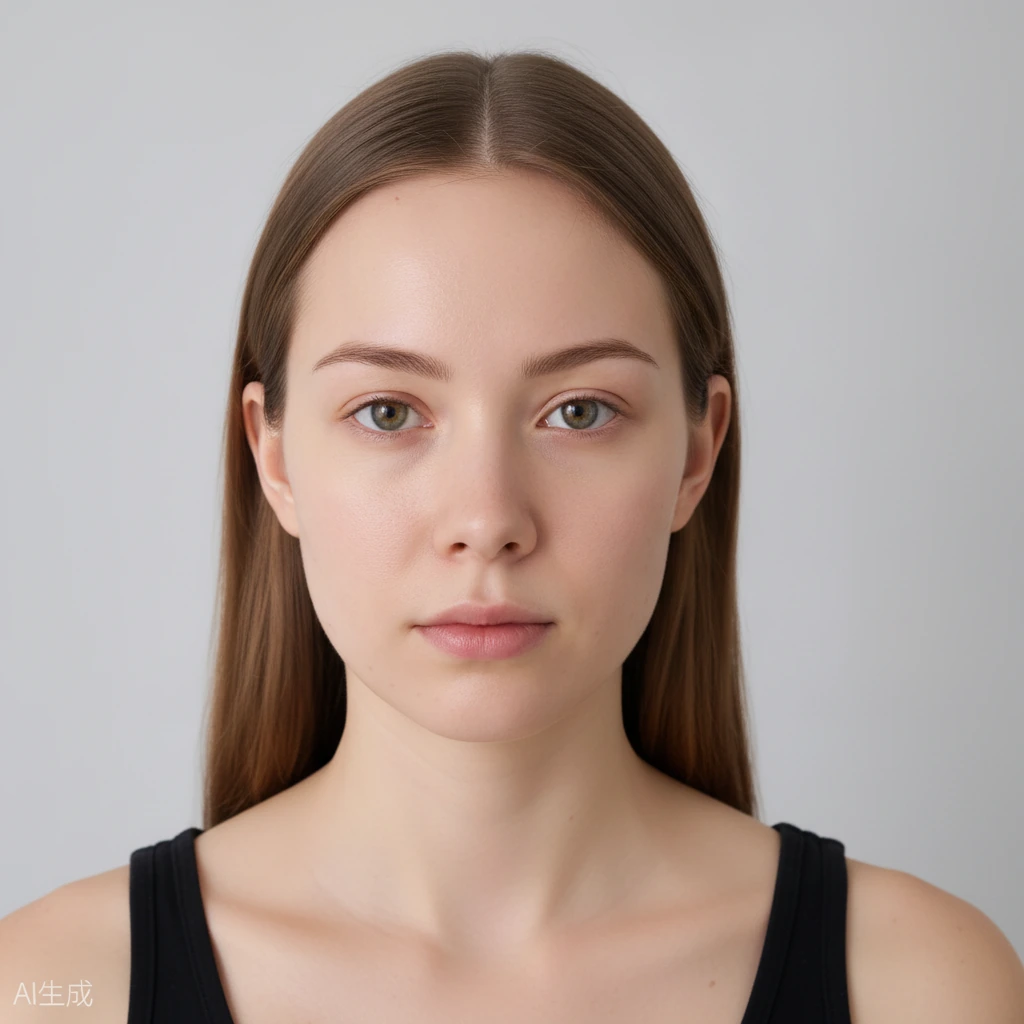
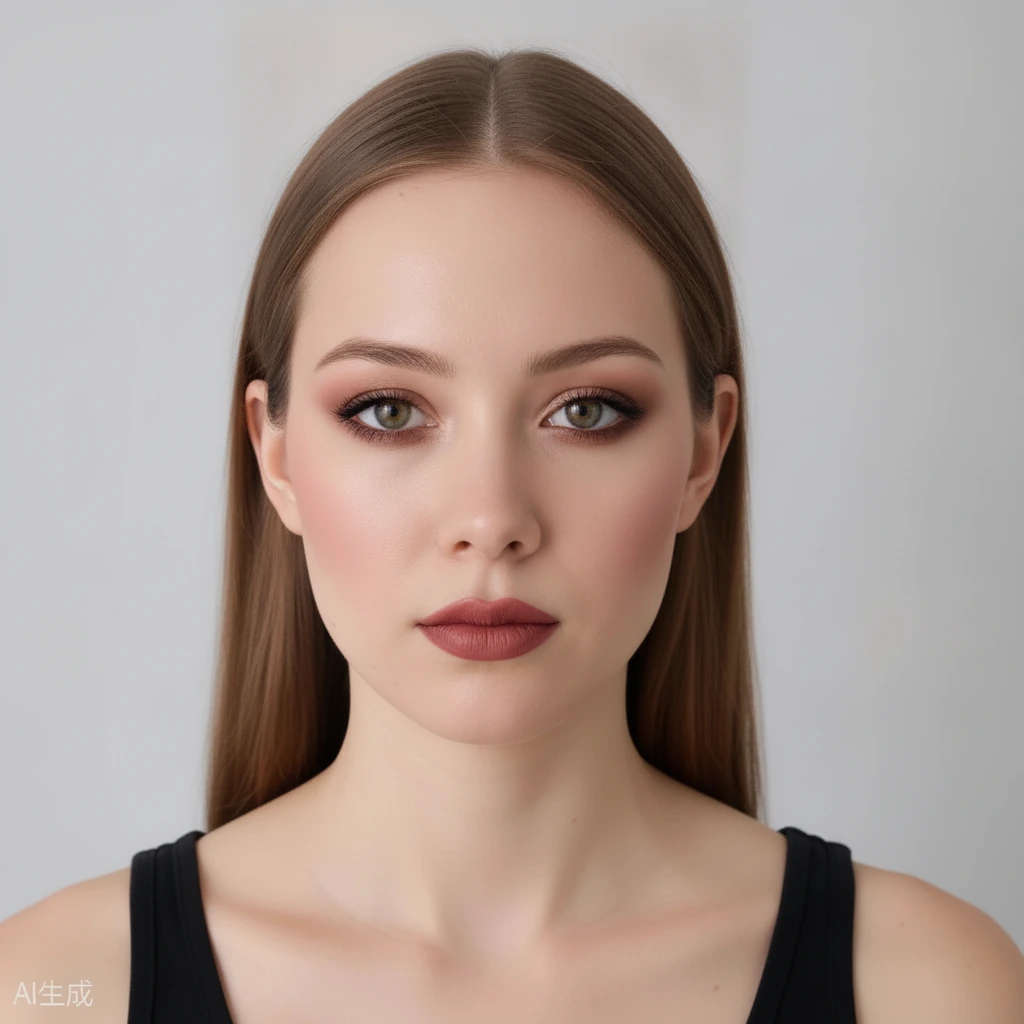 BeforeAfter
Why Lipstick Try On Online Beats Buying Blind
A lipstick that looks perfect on a model can fall flat the moment it meets your undertone. Cool pinks turn chalky on warm skin, and brick reds can read harsh on cooler complexions. A photo of a tube tells you what the color is, not what it does to your face. That gap is exactly why so many online lipstick orders end up returned.
Testing a shade against your own skin removes that fog. Because the tool works on your own photo, you judge the real contrast between the color and your natural lip tone, your teeth and your eyes. A shade that photographs well on a stranger can look entirely different on you. Seeing it on your own face is the only honest preview.
How Lipstick Try On Online Works on Your Selfie
Start by uploading a clear, front-facing photo. Pick a lip color or one of the ready-made looks, such as Soft Glam or Bold Glam, and let the AI apply it. The whole thing runs in your browser in under a minute, on your phone or your laptop, with no app to download and nothing to install. A plain, front-lit photo with no filter gives the most reliable result.
You do not need an account to start, and you get free daily credits to keep experimenting. When you find a look you like, drag the before-and-after slider to compare, then download the result or share it with a friend for a second opinion.
The AI changes only the makeup. Your identity, face shape, hairstyle and background stay exactly as they are. This is not a face swap, so what you see is still unmistakably you.
Match Shades and Undertones Before You Buy
Think about undertone first. If the veins on your wrist look blue and silver jewelry suits you, you lean cool, and berry, mauve and blue-based reds tend to sing. If gold looks better and your skin carries a golden cast, you lean warm, so peach, coral and brick tones feel more at home. Wet or glossy finishes can also read differently from matte, so try more than one texture before you decide.
Neutral undertones can wear most things and often look best in a muted rose or a soft brown-red. Instead of memorizing rules, load your photo and try several shades back to back. Watching them update on your own face teaches you your undertone faster than any chart, and it is far more fun.
Keep an eye on teeth and eyes while you compare. A slightly blue-based red often makes teeth look brighter, while a very orange lip can pull them yellow. Seeing that contrast on your own photo can save you a return later, and it tells you which direction to shop in.
Try Lip Color on My Photo: Finishes for Day and Night
The same shade behaves differently depending on how you wear it. A soft, blotted lip suits daytime and a bare eye, while a full, saturated application reads more evening. Try the color both ways on your photo to see which mood fits your plans, then keep the version you like.
You can also focus on the lips alone with the intensity slider, keeping the rest of the face clean so nothing distracts from the color. Nudge the slider up for a statement, or down for a tint you could wear to the office or a lunch date.
Once you know which shade and finish work, buying online becomes a much safer bet. You are choosing based on your own reflection, not a stranger's product photo, so the odds of loving the tube when it arrives go up.
Frequently Asked Questions
Do I need to sign up to try lipstick on my photo?
No. You can start without an account and use free daily generation credits. Signing up is optional if you want to keep more of your looks.
How accurate is a lipstick try on?
The AI blends the color onto your own lips in your own photo, so you see how the shade reads against your skin and undertone. Treat it as a visual preview of a color rather than a promise about a specific product.
Will my photo be stored or shared?
Your photos are private and stored securely. They are never submitted to search engines, and uploaded photos and results expire and are automatically deleted after a limited time.
Can I try more than one lipstick shade at once?
Yes. You get free daily credits, so you can test several shades in a row and compare them with the before-and-after slider.
Does it work on my phone?
Yes. The tool runs entirely in your browser, so it works on both phone and desktop without downloading anything.